

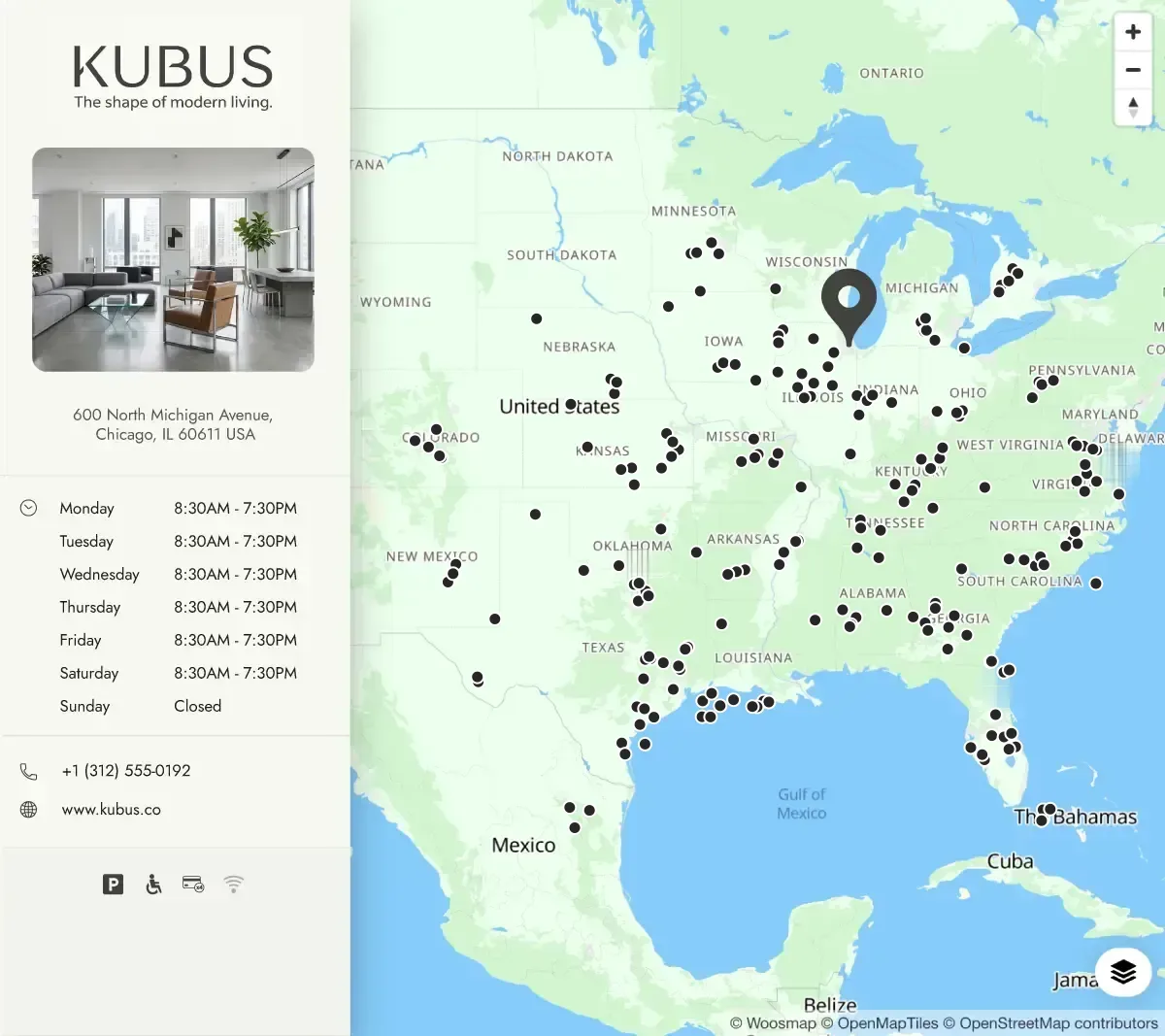
Map, search, filters and directions, built in the browser for someone who already found you. Fast for a person. To a crawler that runs no JavaScript, the whole network is one URL with nothing on it.
Store Pages: a local page for every store, built for search and AI
Generated from the store data you already maintain, published on your own domain, measured store by store.
Your store list is accurate. Your store locator shows it. Yet when someone types a city into Google or asks an AI assistant where the nearest store is, almost none of that data is there to answer.
Store Pages turns the list you already maintain into one page per store and one per region and county, on your own domain, kept in sync with your store data. Also called local landing pages or location pages, they are the indexable half of a store locator. Every page is sent ready by your server, with structured data, a route to the door and the nearest stores, and every action on it is measured.
Where your store data stops today
Most retail networks are in one of three situations.
One locator, one URL. The map and the list are built in the visitor's browser. Seen from outside, the whole network is a single page with no content on it.
Pages that exist but say little. A name, an address, a map. Nothing that answers "store hours in Austin", nothing an assistant can quote.
Pages nobody watches. No one can say what they bring in, so no one keeps them current, so they slowly stop being true.
In all three, the data exists and it is right. It never becomes something Google, an AI Overview, ChatGPT or Perplexity can use. We measured 50 retail networks in France and the UK in September 2026: on average, three of the seven things a store page needs are in place.
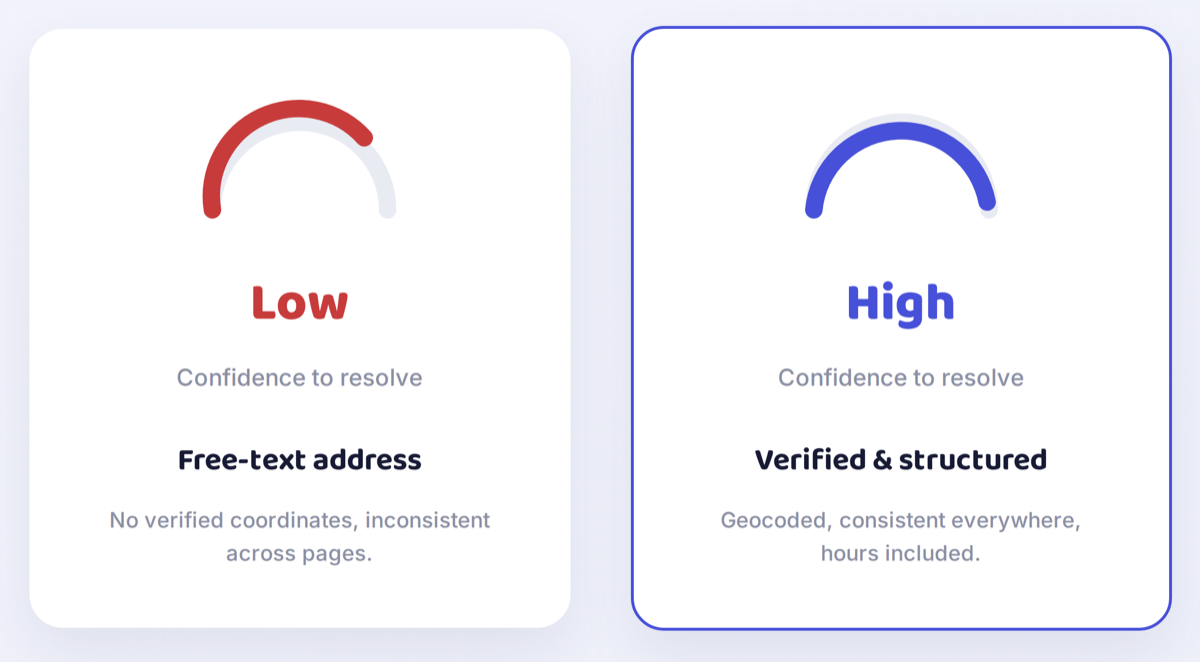
Store locator vs store pages: what a search engine actually indexes
A store locator and store pages read the same store record. They answer two different readers, and most networks need both.
From your store list to a page per store
Four steps, from the record you already maintain to pages your site publishes.
Your store list stays the source
Your stores, addresses, hours and services live in Woosmap Stores, where they already do if you run our store locator. Nothing is re-entered, nobody writes copy.
Woosmap builds one document per store
For each store, Woosmap resolves its region and county, finds what surrounds it and how long it takes to get there, picks the nearest stores of your network, and assembles a complete page document: content, structured data, map, links and metadata.
And one page per area above it
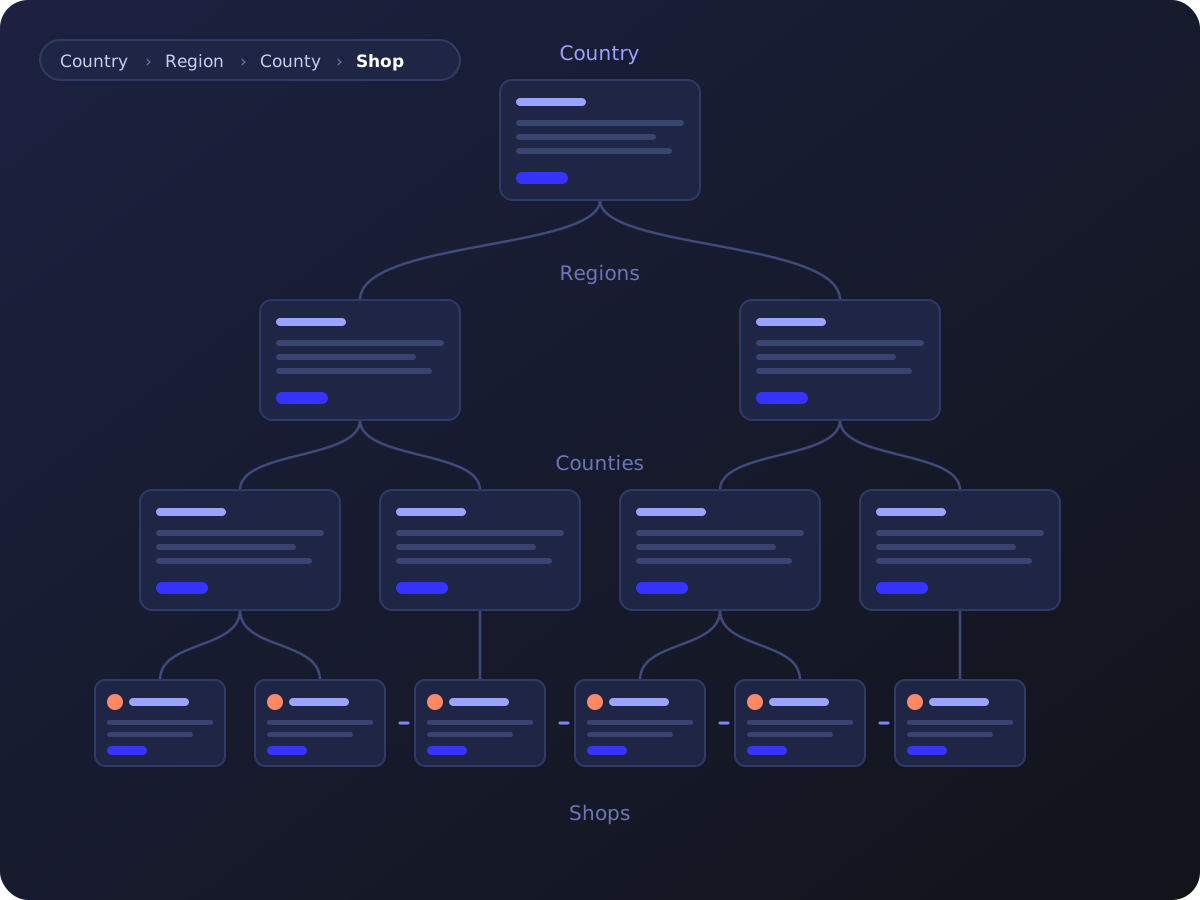
From where your stores actually are, Woosmap works out which region and county pages should exist, and assembles the content of each one: the stores and areas it lists, its introduction, its structured data. A page where there is something to list, none where it would stand empty. A crawler now has a path from your country page down to every store.
Your site publishes them, Woosmap keeps them true
The documents are published on your domain, in your design, by your platform. Hours change, the page changes. A store moves, its page follows. An area with no stores left loses its page.
What every store page carries
Eight things a search engine or an assistant expects to find, all generated from your store data.
One page per region and county
Store pages alone are not enough. A crawler that lands on one store needs a way to the others, and a person searching a county name needs a page that answers it.
Woosmap derives the geographic tree from your stores' real coordinates, using verified administrative boundaries. A region page lists its counties and its stores. A county page lists its stores, each with a small map. The rule that decides which areas deserve a page is set with you, by looking at how your network is spread, and adjusted once search data comes in.
You rank on a county name, not only in the cities you already have stores in.
Every store gets a number
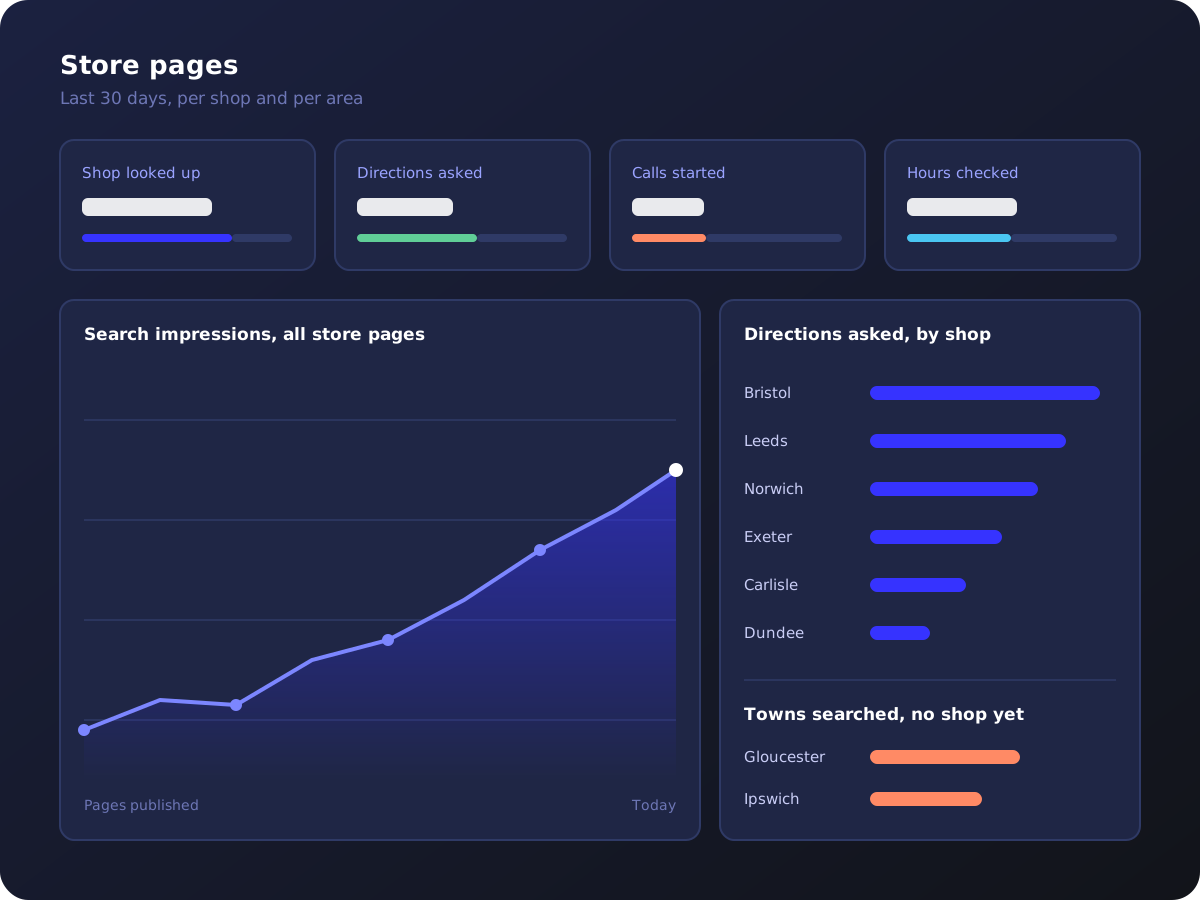
Store pages that nobody measures slowly stop being true. Every page is measured from the day it goes live: how many people looked up this store, how many asked for the route, called or checked the hours, which area pages get read and which lead nowhere.
What you get is a demand signal for every store, comparable across the network: which pages bring visits, which need work, and which cities want a store you do not have yet.
Why these pages, and not a hosted page builder
The Woosmap products behind every page
Application areas
Retail and e-commerce
One page per store answering hours, services and collection questions from the same data as your locator, in every city and county you trade in.
Hospitality and travel
Hotels, restaurants and venues described with the access and surroundings a guest actually asks about, on your own pages rather than a directory's copy.
Health and wellness
Pharmacies, opticians and clinics found on hours, parking and step-free access, the details that decide whether someone turns up.
Public services
Branches and service points reachable from a city or county search, with the right hours on the right day.
Automotive
Dealerships, service centers and charge points found by the customer standing nearest to them, on the services they actually offer.
Why Woosmap
Resources
- Local Context Index 2026: what 50 retail networks tell search and AI engines about their stores.
- Get picked by AI assistants: why your locations need to be readable, not only listed.
- Store Locator: for the visitor who already arrived.
- Stores API: opening hours: how exceptions and seasonal hours are modeled.
Frequently asked questions
A store page is a web page dedicated to one physical location, with its own URL: name, address, hours, services, a map and directions, plus structured data that describes the place to machines. Marketers also call them local landing pages or location pages. Store Pages generates one per store, and one per region and county above them, from your store data.
No. A locator serves the visitor who already found your site. Store pages are how search engines and assistants find your stores in the first place. The two are complementary and read the same data.
Rarely as store content. Most locators build the map and the list in the visitor's browser, so a crawler that does not execute JavaScript sees a single URL with no store on it. Google renders JavaScript later and partially, AI crawlers not at all. To be indexed store by store, each store needs its own URL with the facts in the HTML your server sends.
One per store, at minimum, each with its own URL. Above a few dozen stores, add area pages that group them, so a search on a city or county name has a page to land on and a crawler has a path to every store. Store Pages derives those areas from where your stores actually are, and only prepares the content of a page where there is something to list.
Google's indexing crawler does execute JavaScript, but in a second pass, through a rendering queue you do not control, so a page built in the browser is indexed later and sometimes incompletely. The crawlers behind AI answers do not execute JavaScript at all. A page built in the browser can therefore rank on Google and be absent from an AI answer. Sending the page ready from the server is the version every crawler reads.
Yours. Woosmap generates each page as a document independent of any platform, for you to use in your pages where your site lives, in your design.
Nobody. Title, access paragraph, area introductions and structured data are generated from your store data and Woosmap's geographic data. Your team can edit any page, and its facts stay in sync.
Yes, they do different jobs. A listings platform keeps your Google Business Profile and directory entries accurate, and those listings live on Google's properties. Store pages live on your own domain, carry more than a listing can, and earn authority for your site. The two share the same store data and reinforce each other.
Send us five of your store page URLs. We check them on the seven points a store page needs and come back with where you sit, page by page.
They work on the site you have. Store Pages produces and keeps current the factual content of a page per store and per area, and hands them pages to work on. It complements them.
It could. The first version is not the hard part. Keeping hundreds of pages true, structured, linked and measured is four skills that rarely sit in one team: local SEO, structured data, geographic data quality and a sync that never stops. The question is who owns it in eighteen months.
No. There is no submission process for ChatGPT, Perplexity, Gemini or Google's AI Overviews. We provide content for your pages in the format search and answer engines read, on your own domain. What an engine then does with them is its decision.
Not sure what your store pages tell an engine?
Send us five of your store page URLs. One of our experts comes back with what a search engine and an assistant can and cannot read from them, no commitment.