

Black Friday store locator checklist: 10 things to fix before 27 November
Table of contents
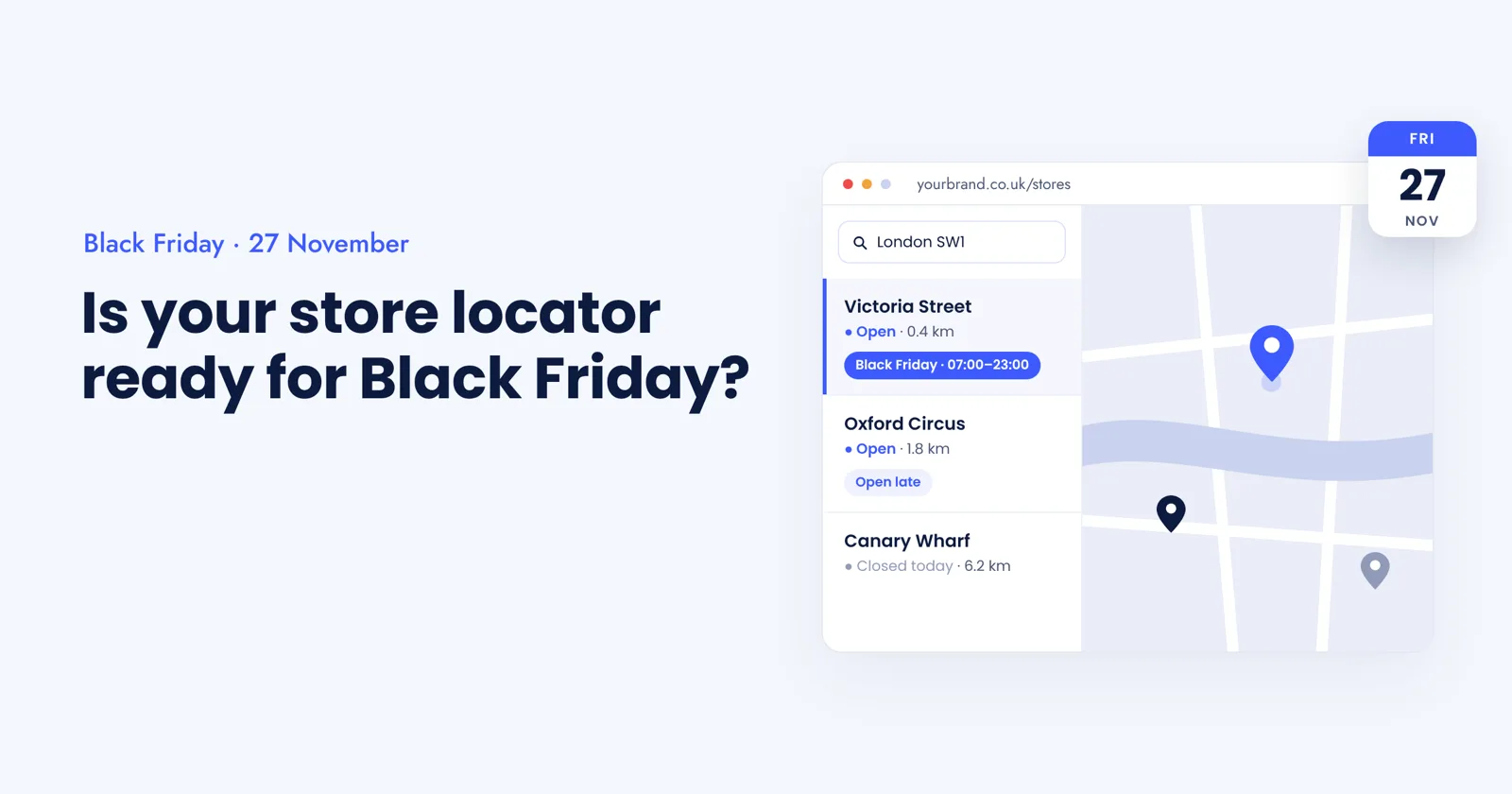
Black Friday is usually talked about as an online event. But a lot of the weekend still ends in a store: someone checks opening times on their phone, reserves a TV for pickup, or looks for the nearest branch that has their size.
That journey starts with your store locator. And Black Friday is the week it is most likely to be wrong. Opening hours change, pickup slots fill up, some stores run late events and others close early. If your locator still shows a normal Friday, shoppers turn up to a closed door or go to a competitor who answered the question properly.
The good news: most of the fixes are small, and you still have time. Here are 10 things to check before 27 November. Each point has the why, the fix, and a two-minute test you can run today.
1. Load Black Friday hours as dated exceptions, not edits
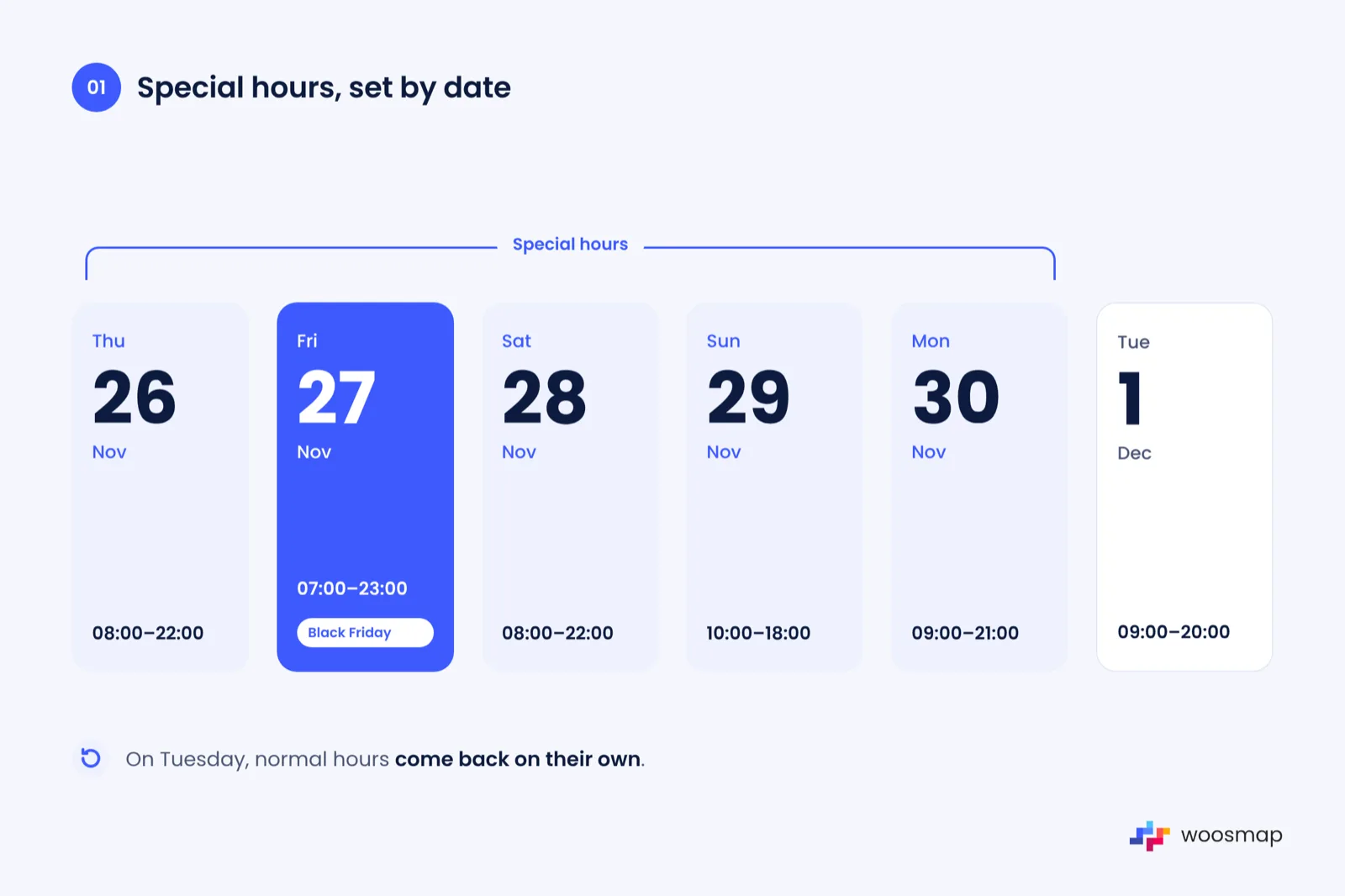
Why it matters: if someone overwrites "Friday 09:00 to 20:00" with "09:00 to 23:00", every Friday after the event is wrong too, and nobody notices until a complaint comes in.
The fix: add the special hours for Thursday 26 to Monday 30 November as exceptions tied to a date, and let the normal week take over again on Tuesday. Mark a store closed for one day with an empty entry rather than deleting its hours. If your store data sits in Woosmap, this is the special block, keyed by date, in the opening hours model; temporary closures (a refit, a flood) have their own field and win over everything else.
Quick test: pick your three busiest stores and check what the locator shows for Black Friday, then for the Friday after.
2. Keep one source of store data
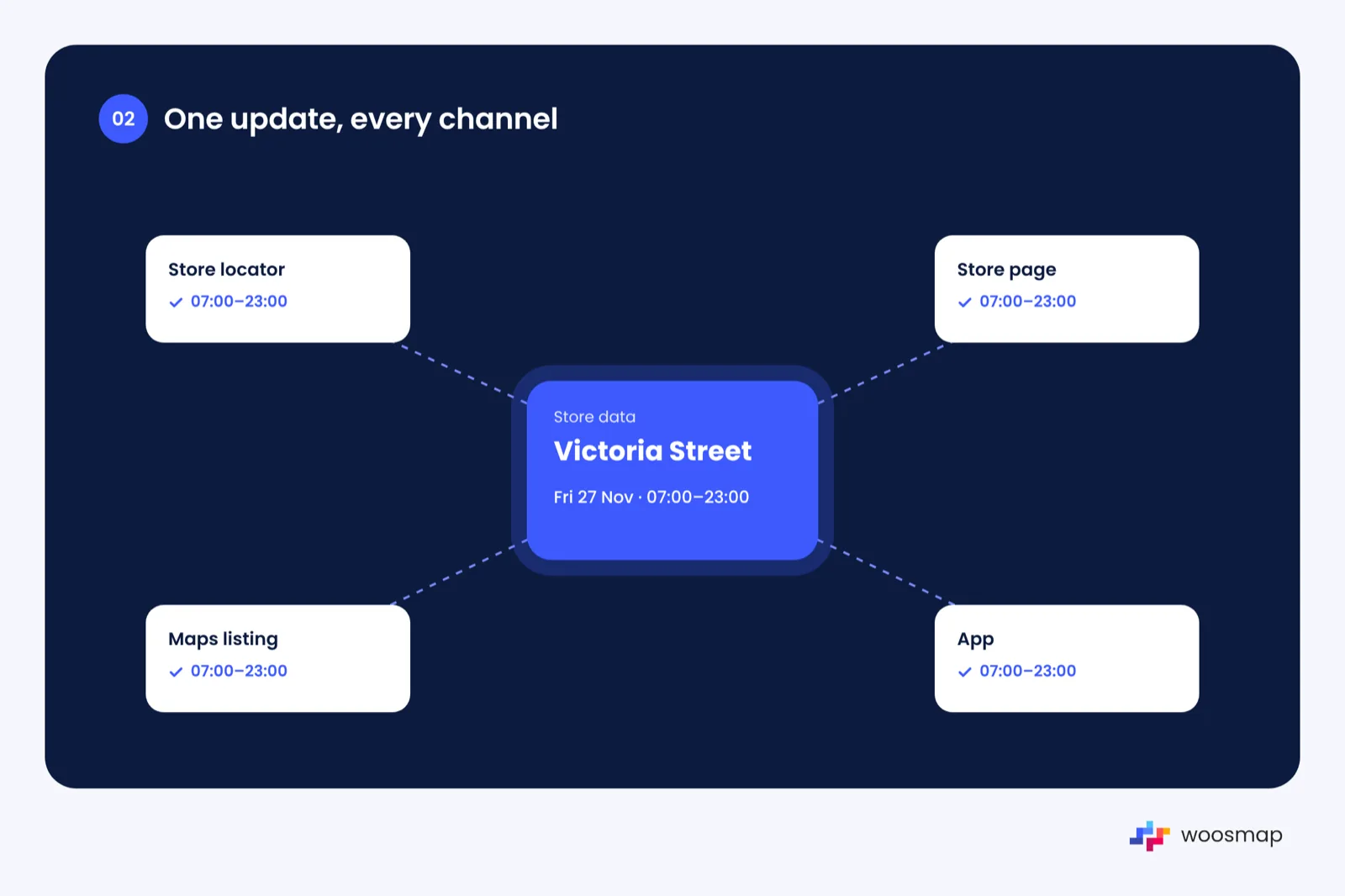
Why it matters: shoppers check more than one place. When the locator says 22:00 and the maps listing says 20:00, they trust neither and pick a competitor whose answer is clear.
The fix: hold hours, services and contact details in one place and push them out to the locator, store pages, app and listings from there. Hand-editing four systems the week before Black Friday is how mismatches happen.
Quick test: compare one store's hours across your locator, its store page, its maps listing and your app.
3. Calculate "open now" in the store's own time zone
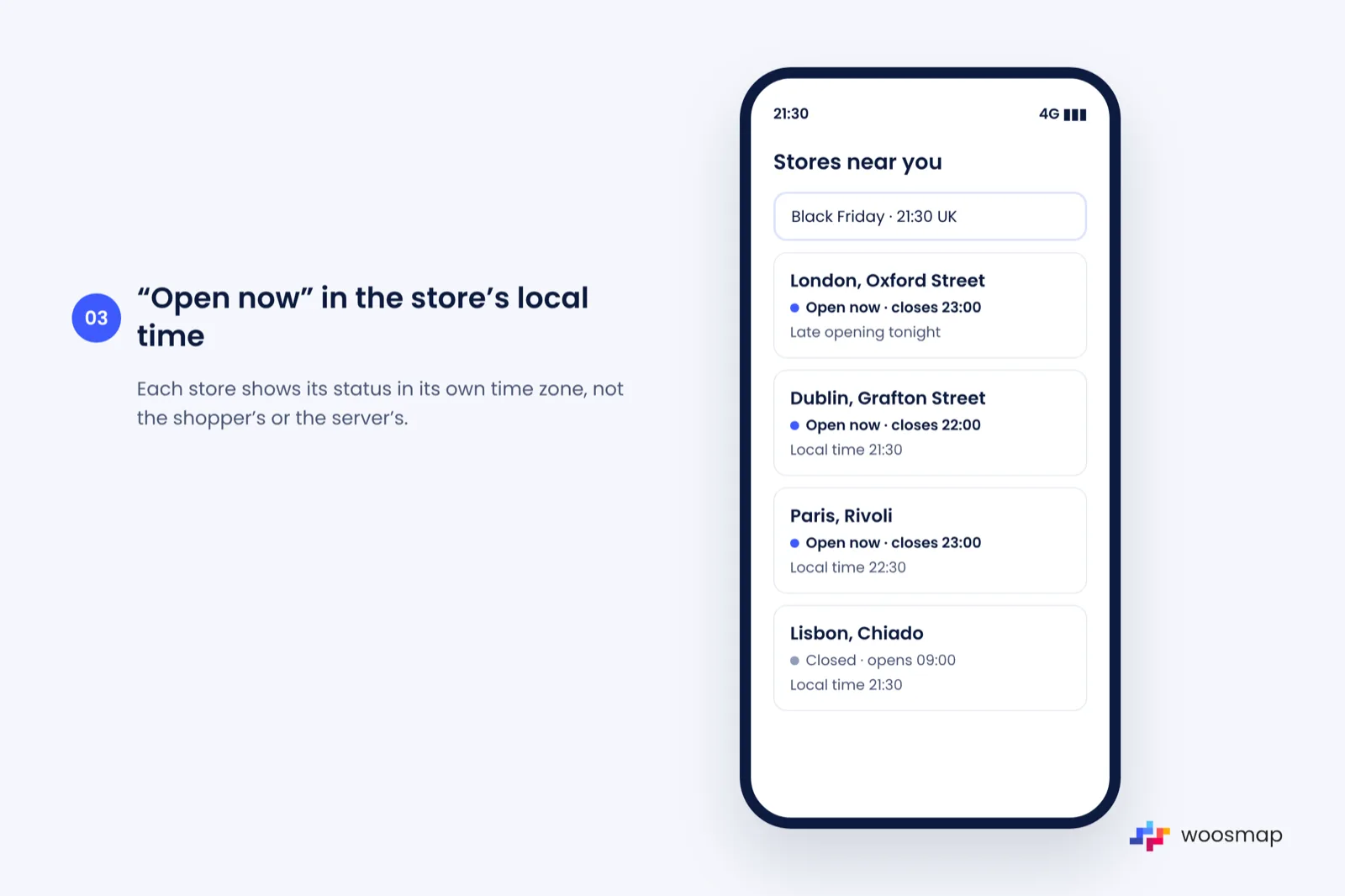
Why it matters: on the day, people do not read an hours table; they look for "open now" and "closes at". If that status is worked out from the shopper's clock or the server's, a store in Paris or Madrid can show as open when it has already closed.
The fix: set a time zone on every store and compute the status from it. Show the closing time next to the status, and flag late openings so they stand out.
Quick test: look at a store in another time zone at 21:30 your time. Is the status right?
4. Make the search box forgiving
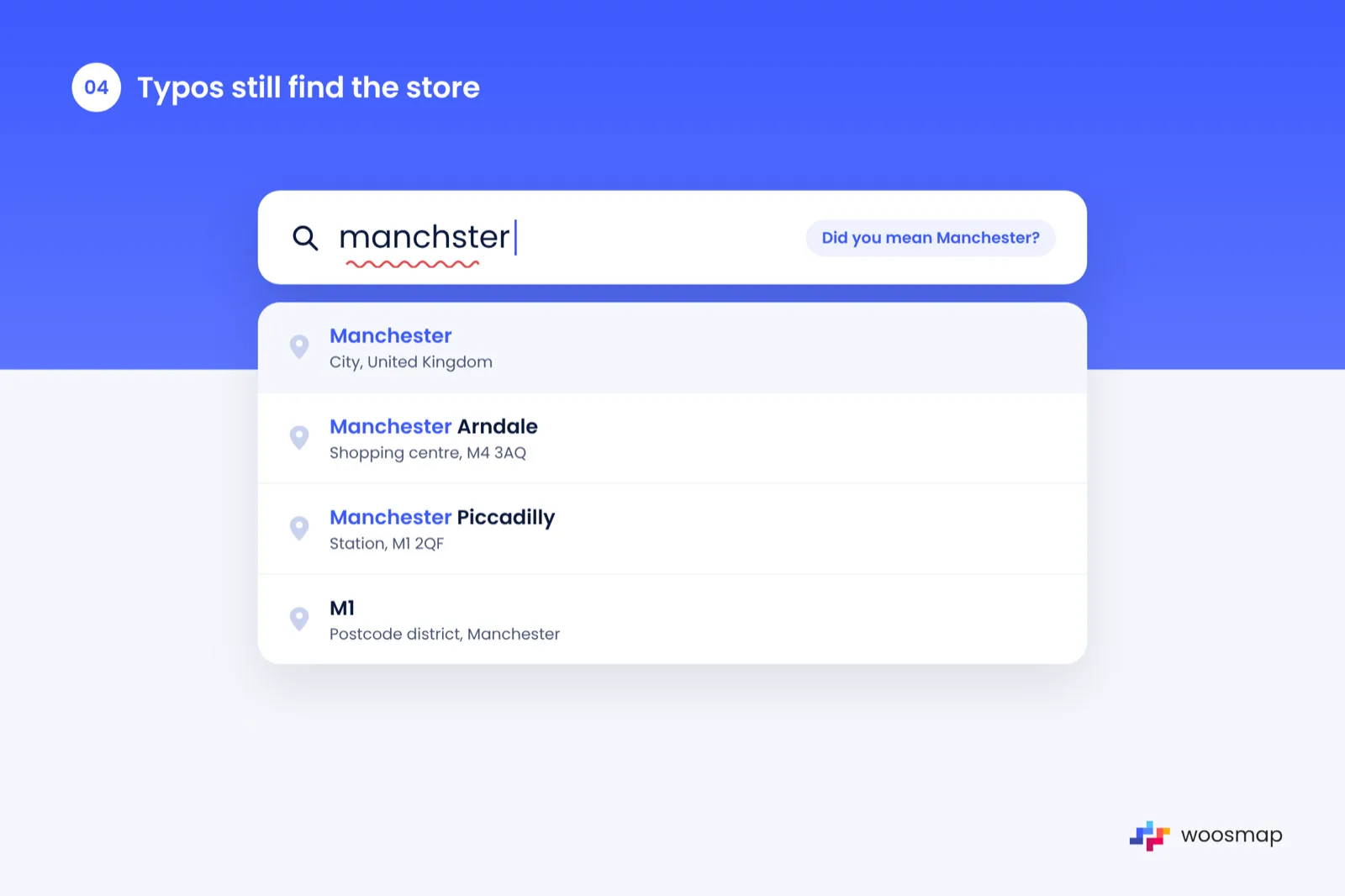
Why it matters: shoppers type half a postcode, a misspelt town or the name of a shopping centre. If that returns nothing, the visit ends there.
The fix: use an autocomplete that understands postcodes, partial addresses and places, and restrict it to the countries you trade in so results stay relevant. Woosmap's Localities autocomplete does this, and the tuning guide covers the settings worth checking before a peak.
Quick test: search "SW1", "manchster" and the name of your biggest retail park.
5. Rank the nearest store by real travel time
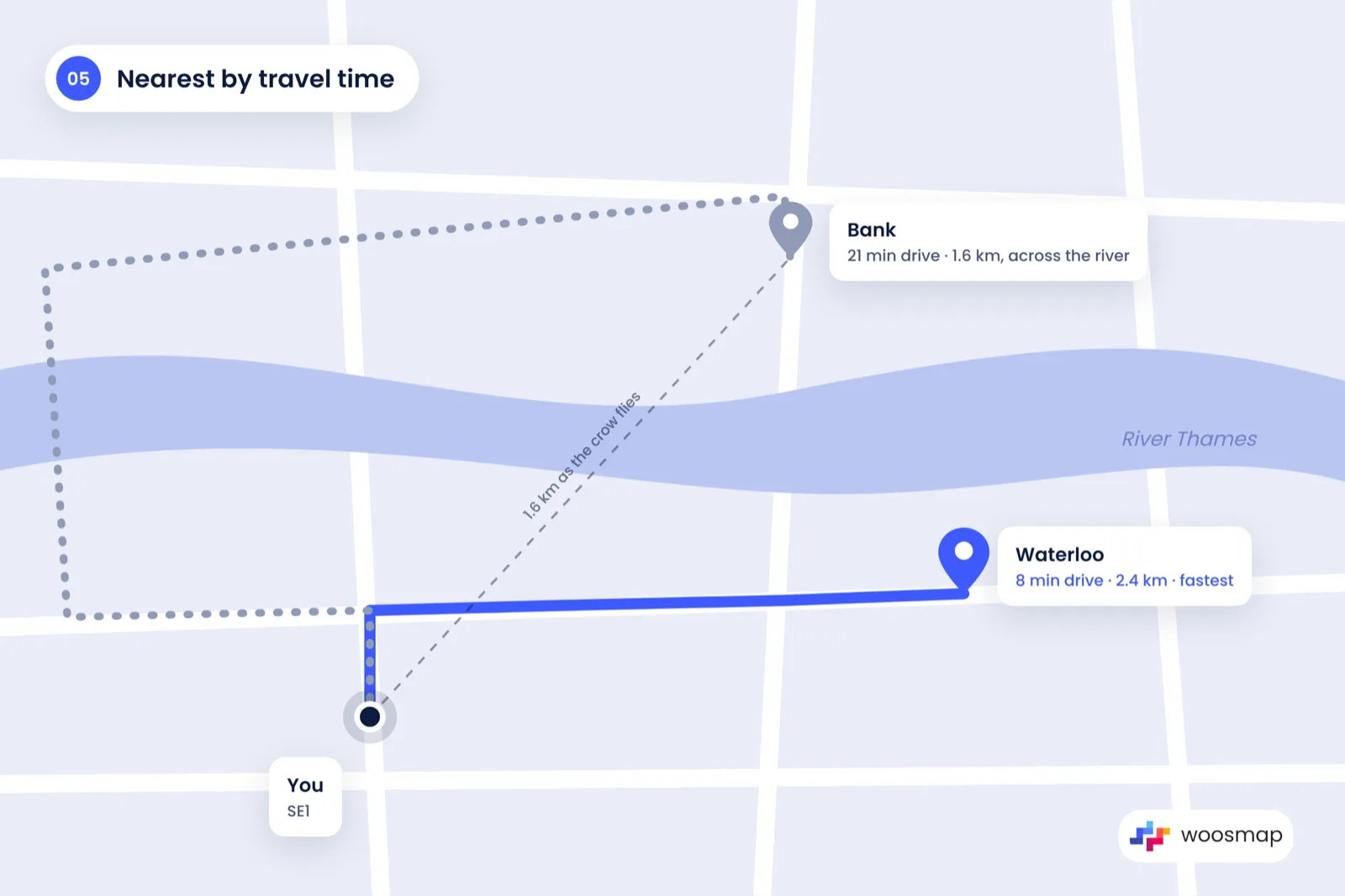
Why it matters: the closest store as the crow flies can be across a river or a ring road. On a busy Saturday, a store 2 km away but 25 minutes by car is not the nearest.
The fix: sort results by travel time or road distance, not straight-line distance. You can do this by passing the top results through a distance service before showing them.
Quick test: search from a postcode near a river or motorway and check which store comes first.
6. Show click and collect and stock per store
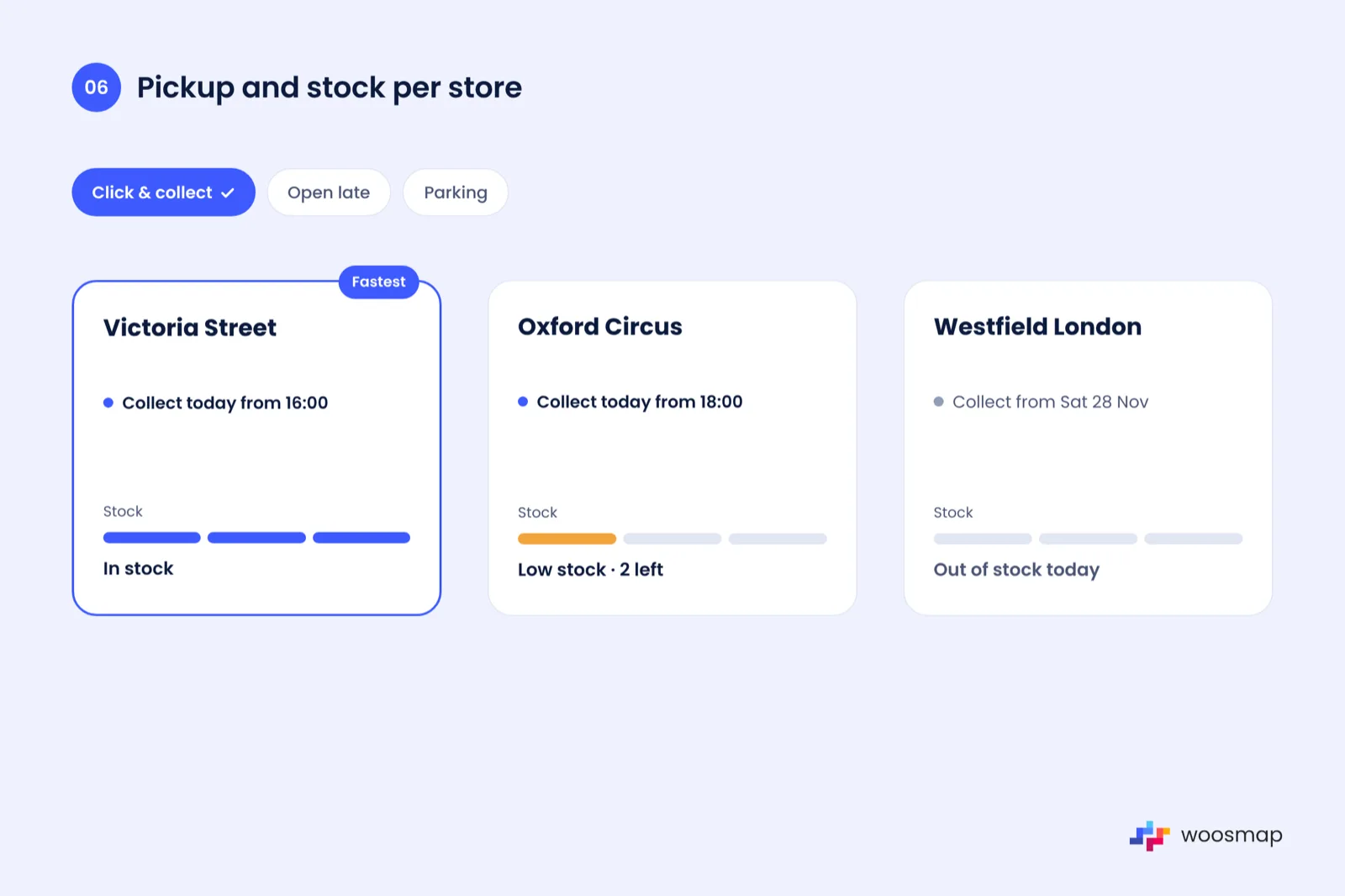
Why it matters: "Can I get it today?" is the real question behind most Black Friday store searches. If the answer only appears at checkout, many shoppers leave before they get there.
The fix: show which stores offer pickup and, where you can, the next slot. For your hero deals, show simple stock levels per store: in stock, low, out. Store services can be filtered in the locator so shoppers can tick "click and collect" and only see stores that offer it.
Quick test: search for a store that does not offer pickup. Is that obvious before checkout?
7. Test it on a phone, on mobile data
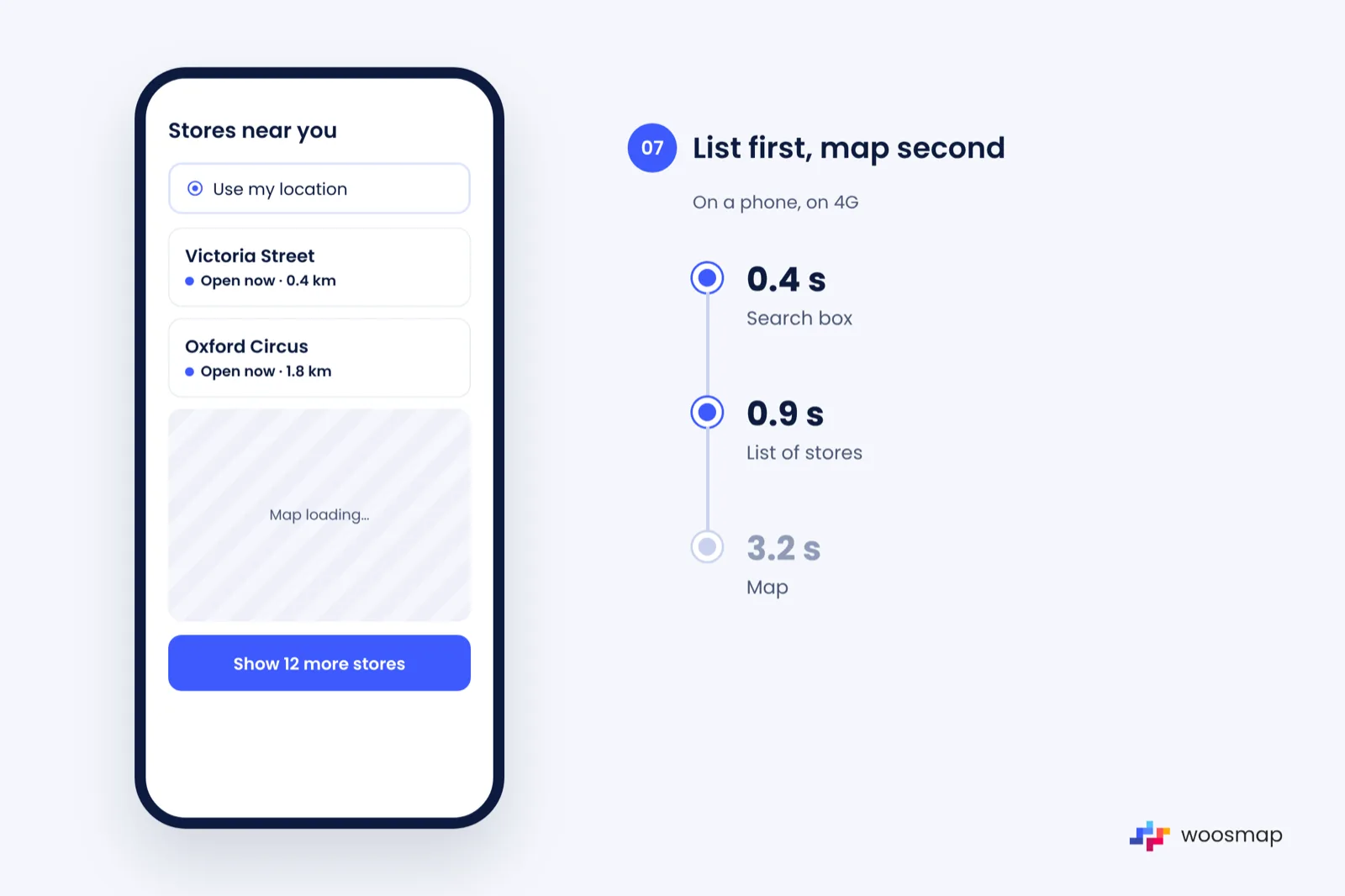
Why it matters: most Black Friday store searches happen on a phone, often outside, on patchy 4G.
The fix: load the list of results before the map, keep the search box at the top, and make buttons big enough for a thumb. Use the device location only after the shopper taps "use my location", and fall back to postcode search if they say no; our guide to getting a user's location covers the options.
Quick test: open your locator on a mid-range phone with Wi-Fi off. How long until you see a result?
8. Make directions one tap
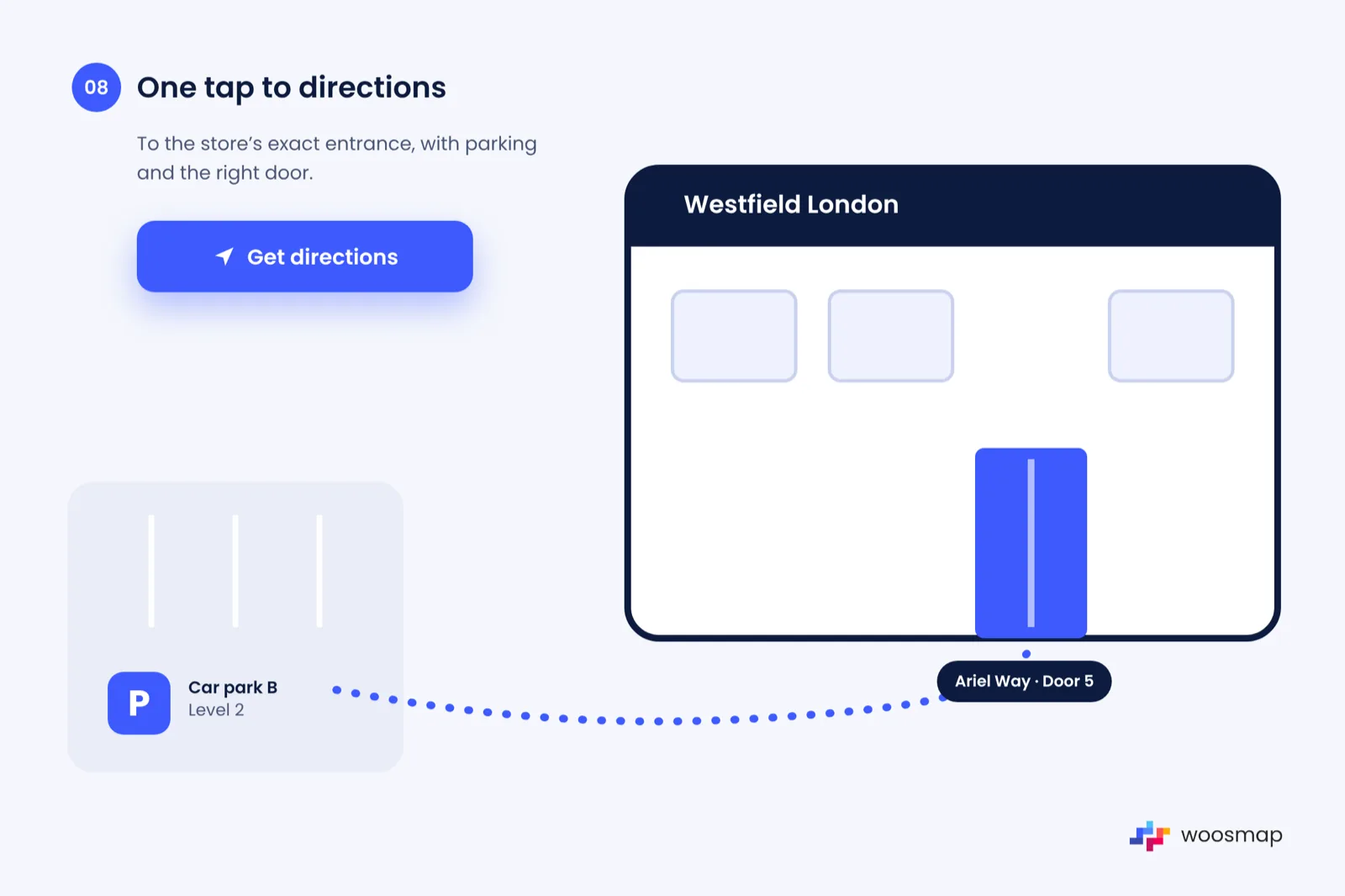
Why it matters: the last step of the journey is the one most often broken: a button that opens a desktop map, or no button at all.
The fix: add a "Get directions" button on every result that opens the shopper's own maps app at the store's exact entrance. For retail parks and shopping centres, add parking and entrance notes.
Quick test: tap directions for a store inside a shopping centre. Where does it take you?
9. Plan for the traffic peak
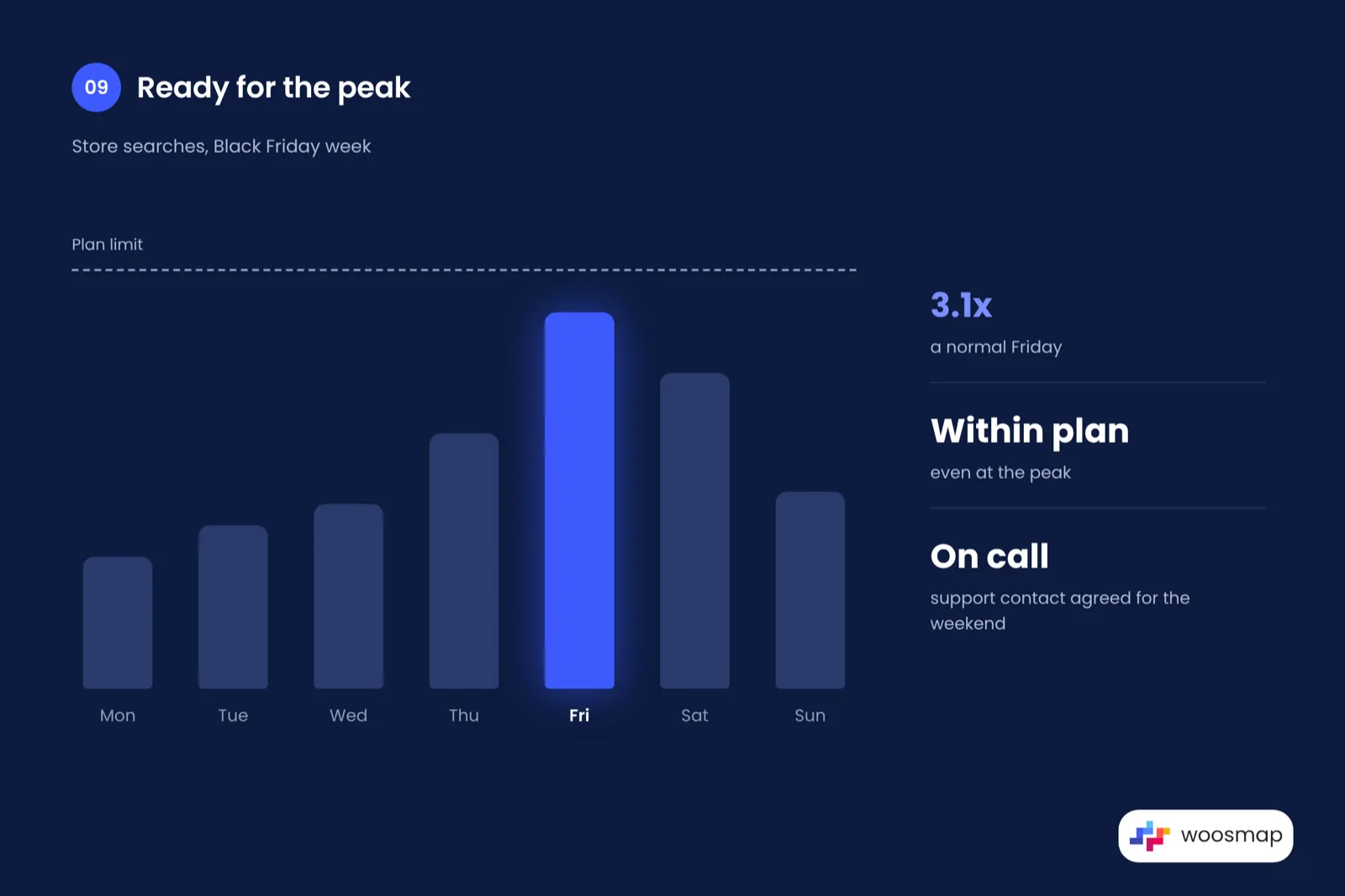
Why it matters: a locator that works on a normal Tuesday can slow down or hit plan limits when traffic jumps.
The fix: count how many location calls one search makes (autocomplete, geocoding, map load, distance) and multiply by your expected peak. Use session-based autocomplete so you are not billed for every keystroke, and agree with your provider who to call if something breaks on the Saturday.
Quick test: check last year's Black Friday traffic against this year's plan limits.
10. Give every store a page that search engines and AI assistants can read
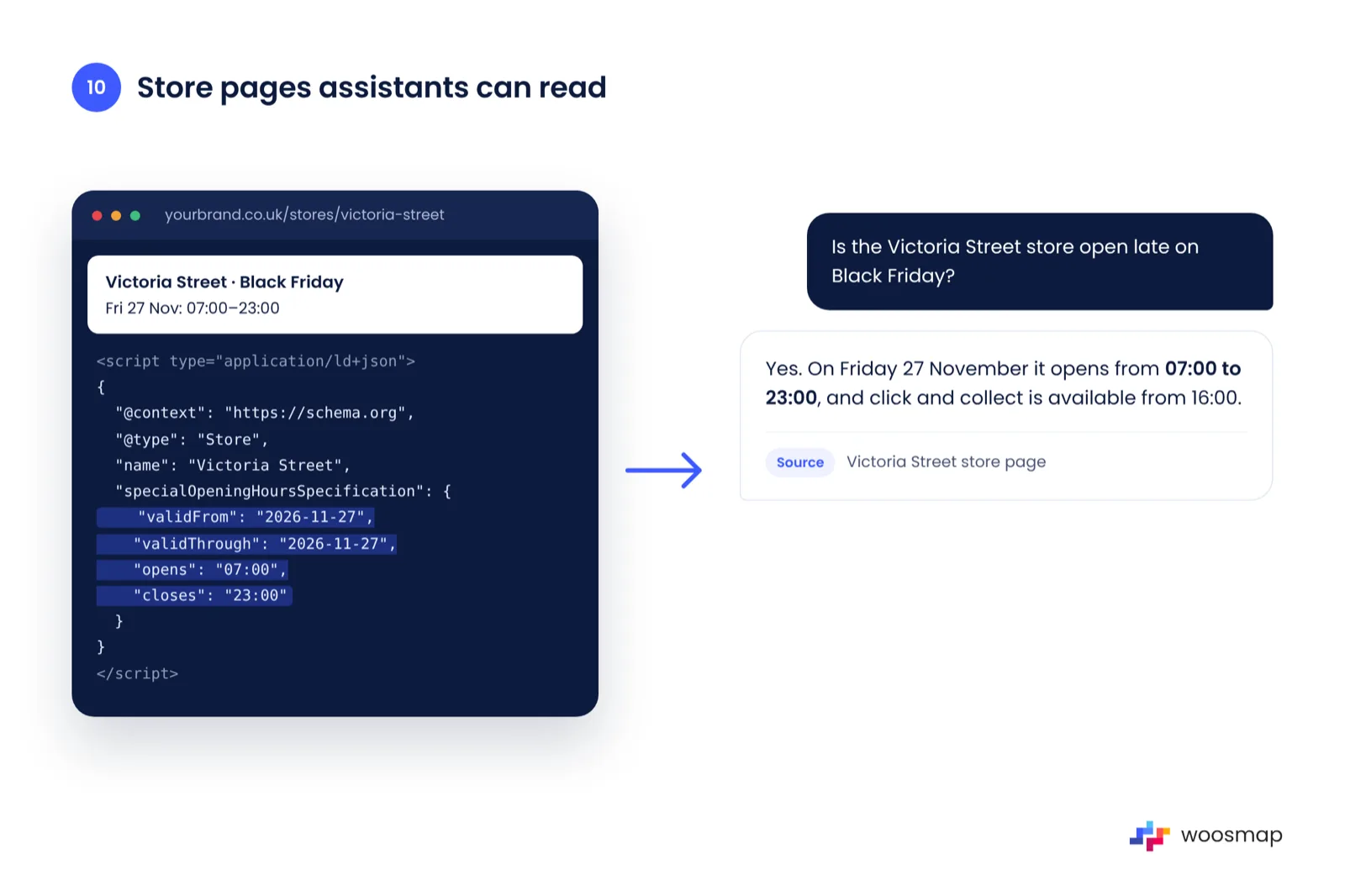
Why it matters: more shoppers now ask an assistant "is the nearest store open late on Black Friday?". Assistants answer from what they can read on the web, and a store that only exists inside a JavaScript map is hard for them to read.
The fix: give each store its own page with the facts in the HTML: address, phone, regular and special hours, services, and schema.org LocalBusiness data. There is no form to submit to ChatGPT or Google's AI Overviews; the pages just need to be readable when crawled. This is what Woosmap Store Pages are built for.
Quick test: view the source of one store page. Can you see the Black Friday hours in the text, not only in a script?
When to do what
| When | What to do |
|---|---|
| Week of 16 Nov | Points 1, 2 and 3: load special hours, align channels, check time zones |
| Week of 23 Nov | Points 4 to 10: test search, ranking, pickup, mobile, directions, peak limits, store pages |
| Thu 26 Nov | Final check of the top 10 stores on a phone; confirm who is on call |
| Fri 27 to Mon 30 Nov | Watch searches with no results and fix the most common ones |
| Tue 1 Dec | Check the normal hours came back; start on Christmas hours |
Before you go
If you only have an hour, do points 1, 2 and 7. They prevent most of the experiences shoppers remember for the wrong reasons.
And keep the setup after the weekend. Christmas opening hours, Boxing Day and the January sales are next, and the same checklist applies. If you want a second pair of eyes on your store locator before the rush, our team is happy to take a look. Get in touch today.